アフィリエイト
An affiliate programme lets other people tell others about your courses and earn a commission on each sale they bring in. You invite them with a link, approve them, and pay them yourself. Setting it up takes about ten minutes.
Before you start
- You need to be a creator in the organisation.
- Affiliates earn on paid sales, so you need at least one course with a price, and Stripe connected — see Payments, plans and coupons (a coupon is a code for a lower price).
あなたはアフィリエイトに直接支払います
Yoshukoはアフィリエイトが紹介した売上に対して、自らの手数料分だけを取るだけであり、 手数料は差し引かれませんので、全額があなたに届き、あなたが自由に渡すことができます。Yoshukoは アフィリエイトの支払いを保有・処理・保証しませんし、税務書類も発行しません — 支払者はあなたです。
アフィリエイトプログラムを有効にする
- In the creator studio's left-hand menu, choose Affiliate Program. The Share page opens and says Your affiliate program is off.
- Press Turn on affiliate program.
- Open the Settings tab and choose:
- Commission type —
Percentage of each saleor Fixed amount per sale. - Commission rate (a number out of 100, from 0 to 100) or Amount per sale. Sales in another kind of money use the rate out of 100 instead.
Attribution window— how many days (1–365) after clicking an affiliate's link a learner's purchases still earn commission. 60 days is usual for courses.- Terms shown to affiliates before they join — plain text, up to 4,000 characters. Say what kinds of advertising you allow and what you do not.
- Commission type —
- Press Save settings. You see Settings saved.
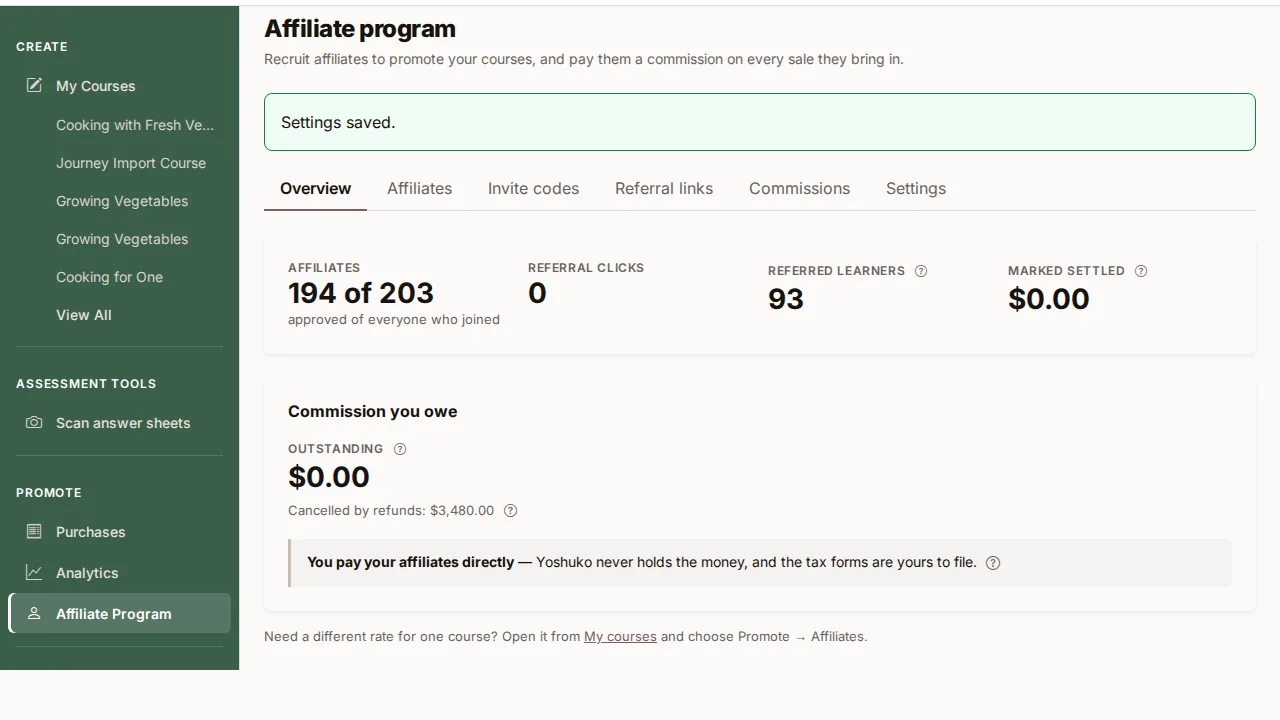
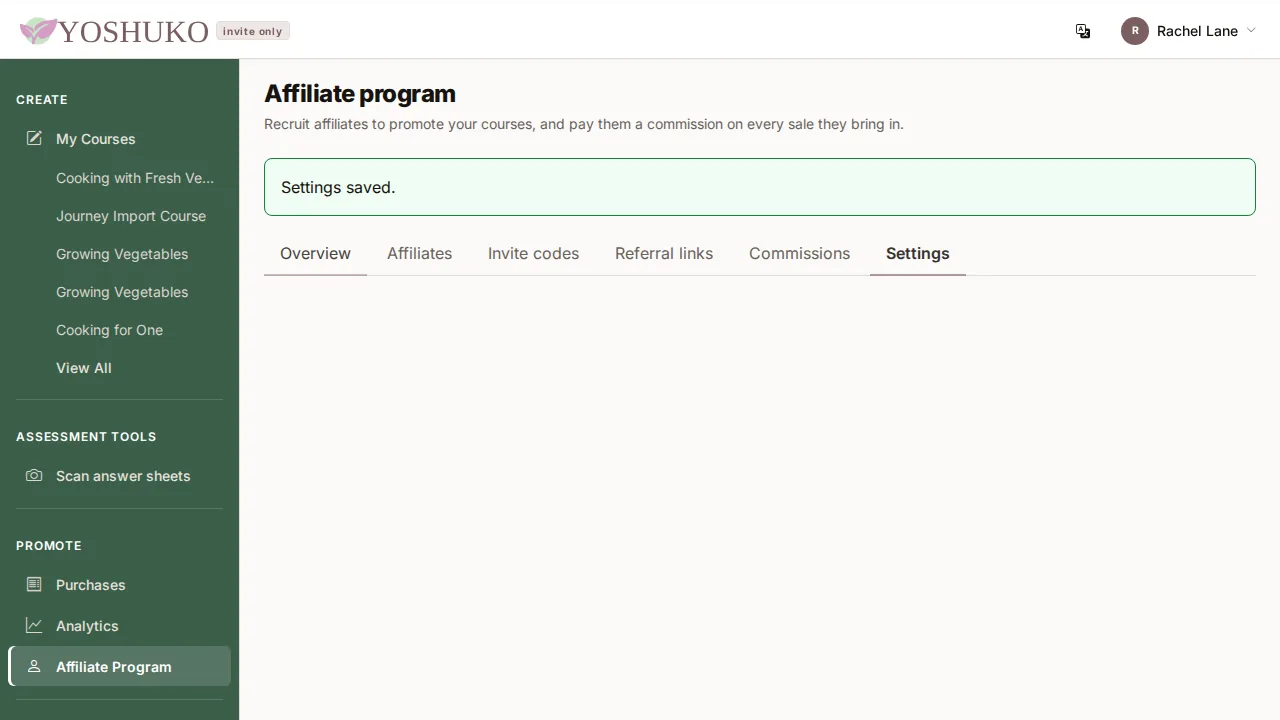
プログラムを一時停止したい場合は、同じタブでアフィリエイトプログラムは有効をオフにします。 これにより新しいトラッキングと新しい手数料が停止しますが、すでに獲得した手数料はキャンセルされません。
アフィリエイトを招待する
- On Share, open the Invite codes tab.
- Under Create an invite code, fill in
What is this batch for?(what this group of codes is for — for examplePodcast partners) and, if you want, Maximum uses. - Leave Approve everyone who uses this code, automatically not checked if you want to look at each person first. Check it only for partners you already know: their affiliate link goes live the moment they join, and anyone who gets hold of the link can start earning commission on your sales.
- Press Create invite code. The new code appears in the table with its Invite link — press Copy and send it to the people you are inviting.
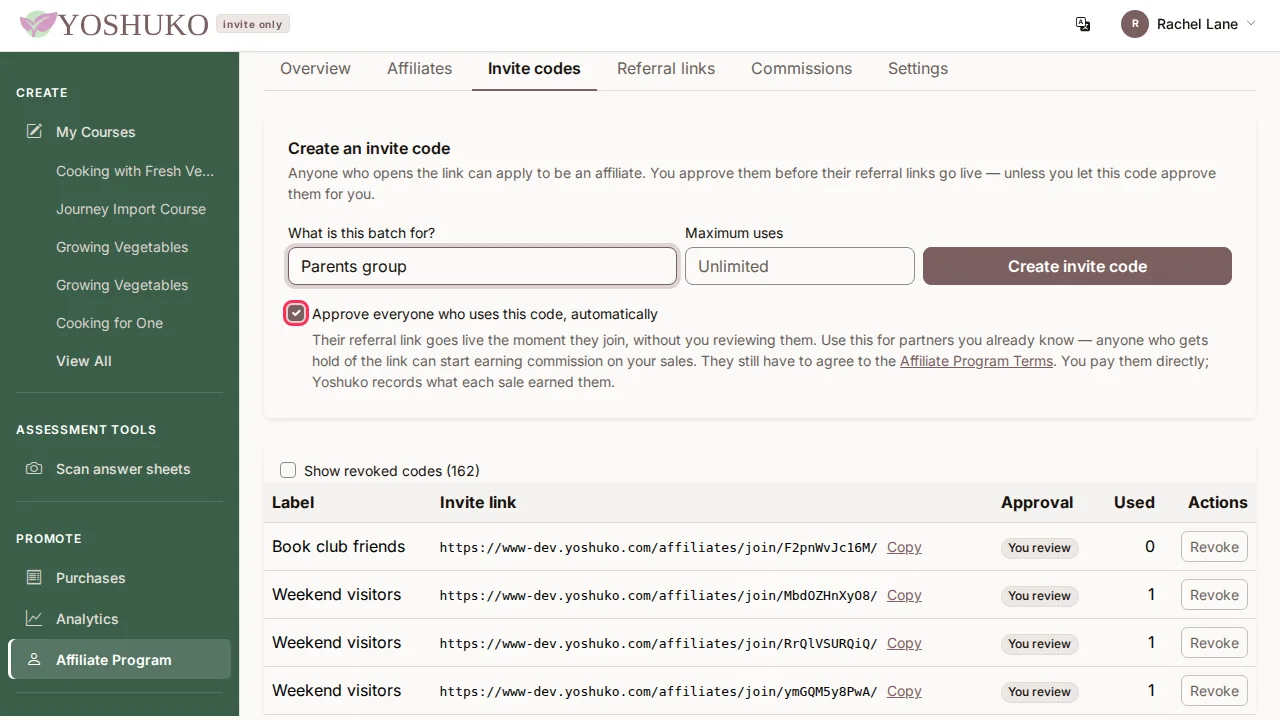
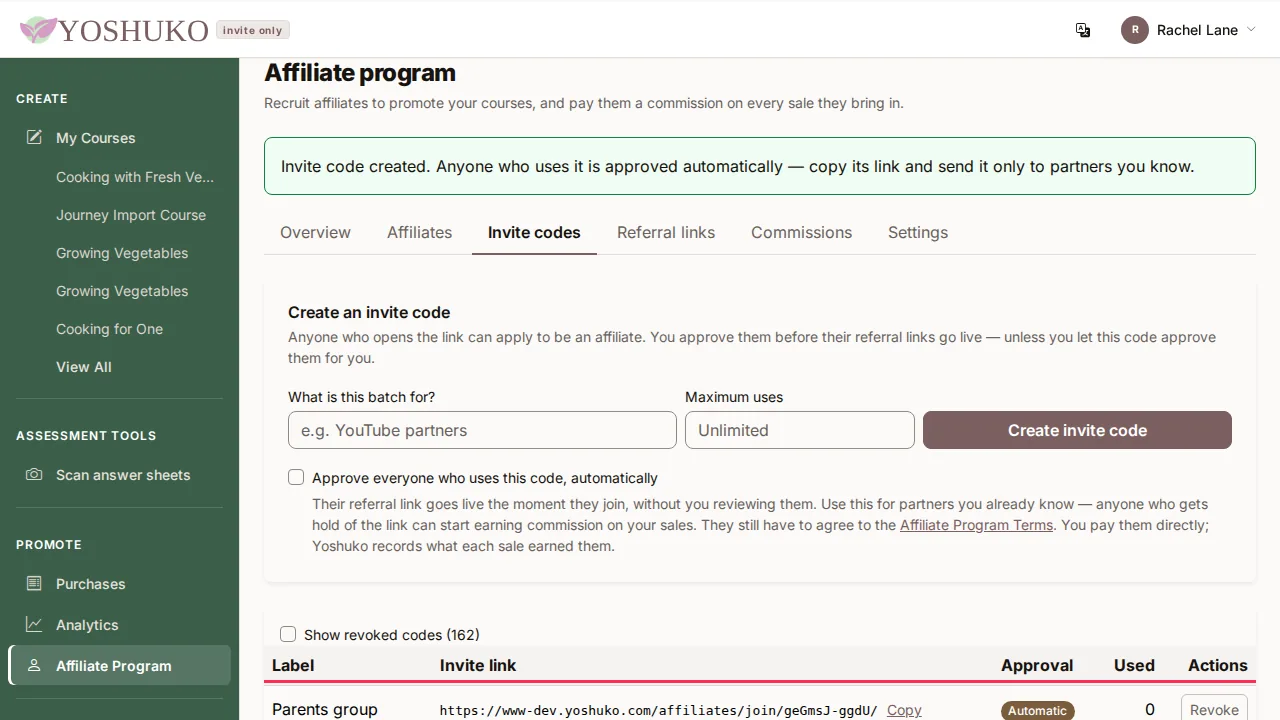
The Approval column shows You review or Automatic. Press Revoke to
stop a code taking new people; affiliates who already joined through it keep
their place.
アフィリエイトの参加申請者を承認する
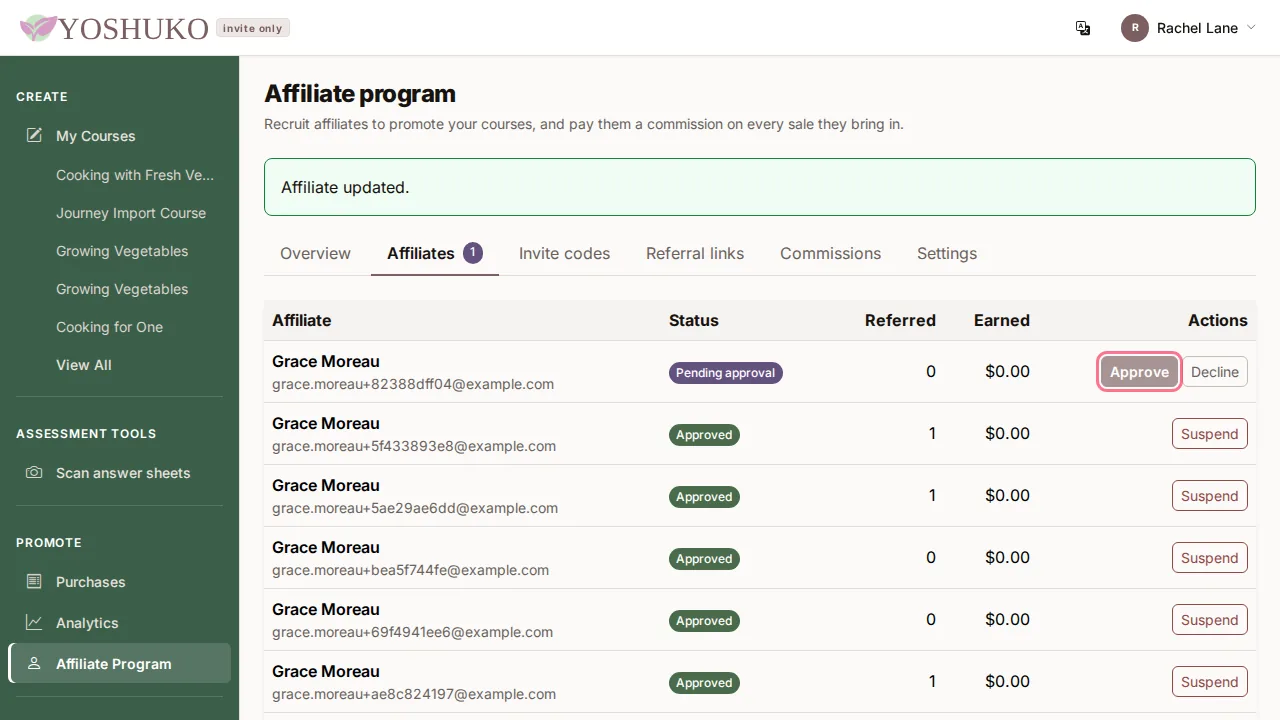
Affiliatesタブを開きます。タブに表示されている数字は、承認待ちの人数を示します。 各行にはアフィリエイト名、ステータス、あなたに紹介した受講者数、そして彼らが稼いだ金額が表示されます。
- まだ
pending(待機中)の人:承認または却下を押します。承認すると、 あなたが提供するすべてのコースにアフィリエイトリンクが即座に発行されます。 - 承認済みのアフィリエイト:
Suspendを押すとそのリンクがすぐに無効になります。 すでに得た手数料は引き続き支払われます。 - 停止または却下されたアフィリエイト:
Reinstateを押して再度参加させることができます。
Referral links タブには、あなたのアフィリエイトが共有するすべてのリンク、それぞれが広告している内容、
そしてクリックし登録した人の数が表示されます。
あるコースに対して異なる手数料を設定する
- コースを開く。コースメニューのPromoteの下で、Affiliatesを選択します。
- Commission for this courseの下で、次のいずれかを選びます:
Use the program default— プログラムの設定から選ぶ率。- A different rate — このコースの割合(100分の何)を入力します。
- Exclude this course from the program — アフィリエイトが紹介した人は数としてカウントされますが お金はもらえません。アフィリエイト自身の画面でその理由が説明されます。
- Saveを押します。
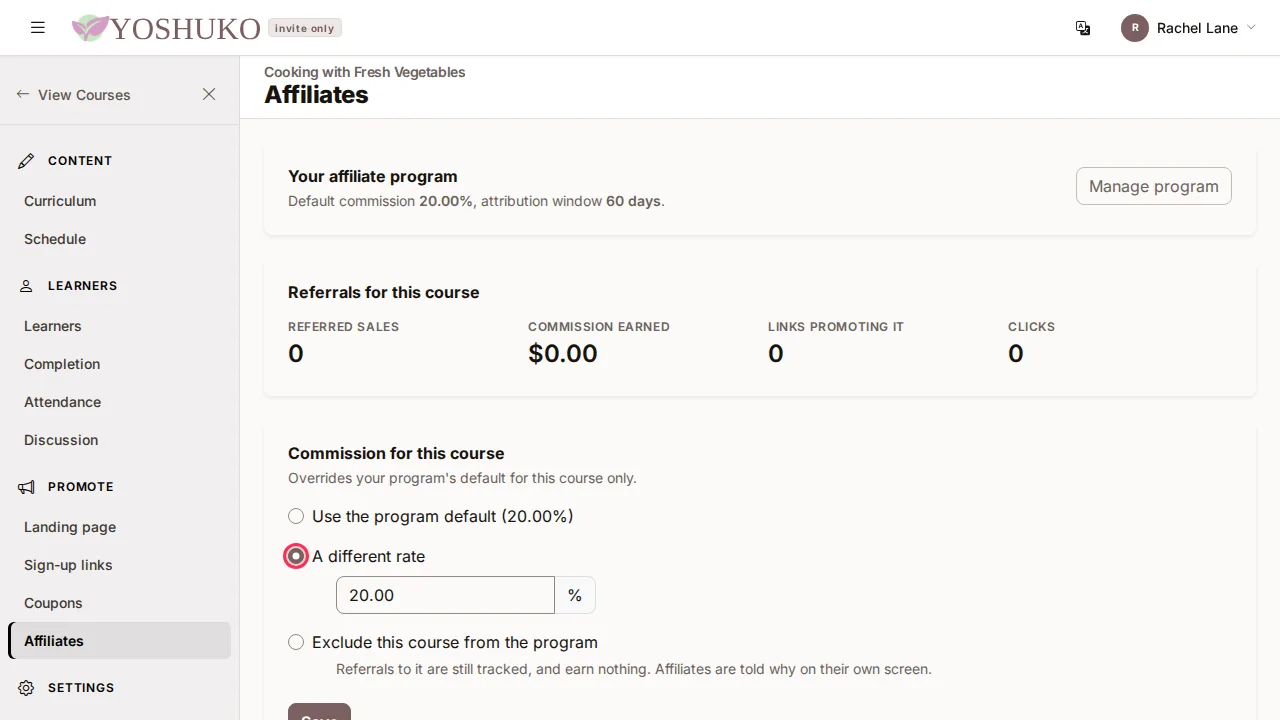
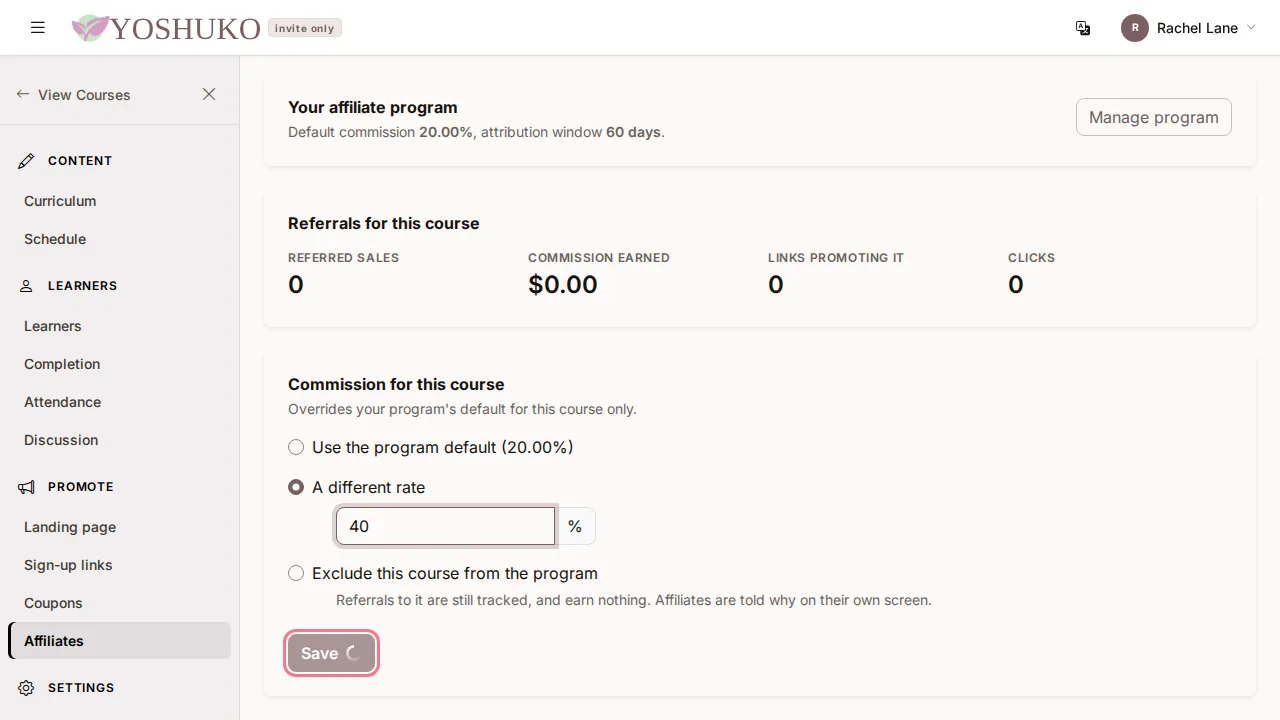
同じページにはReferrals for this course が表示されます。他のコースはプログラムのメイン割合を維持し、
後から変更してもそれに従います。
支払うべき金額を追跡する
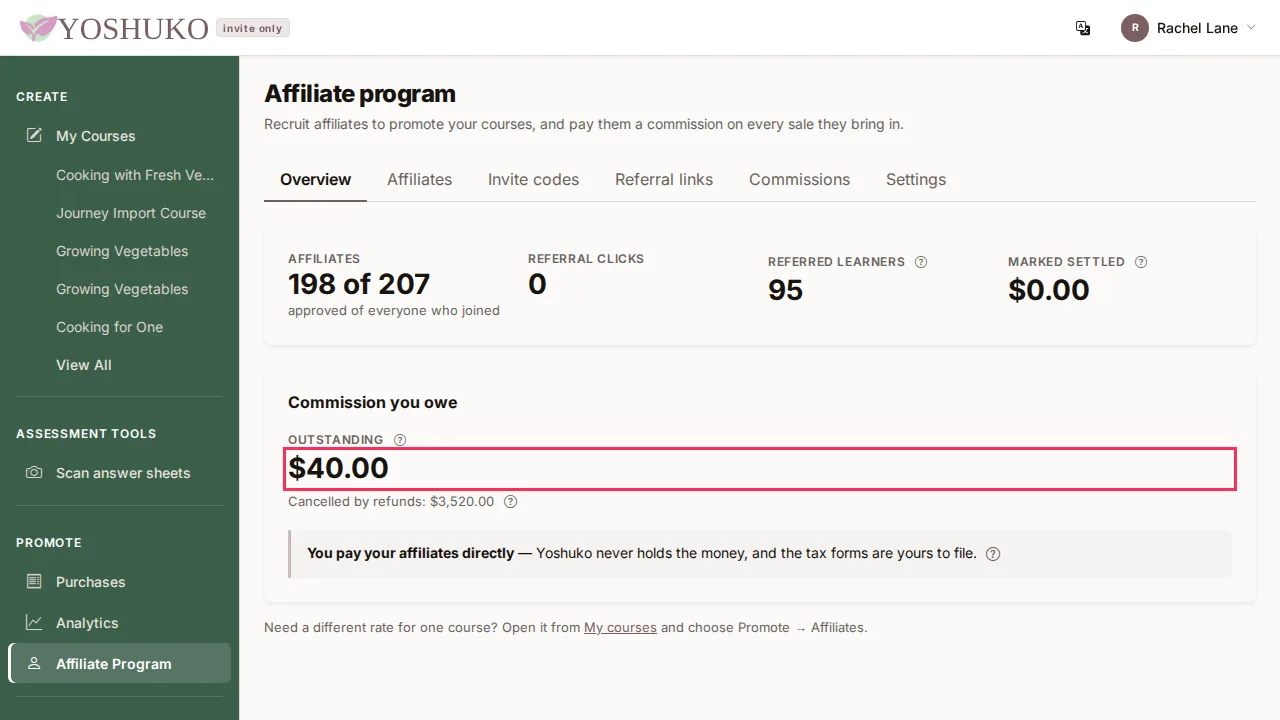
OverviewタブにはAffiliates、Referral clicks、Referred learners
およびMarked settledが表示され、Commission you oweの下にOutstandingの金額 —
アフィリエイトが稼いだお金でまだ決済されていないもの — が表示されます。
- Pay your affiliate however you have agreed with them.
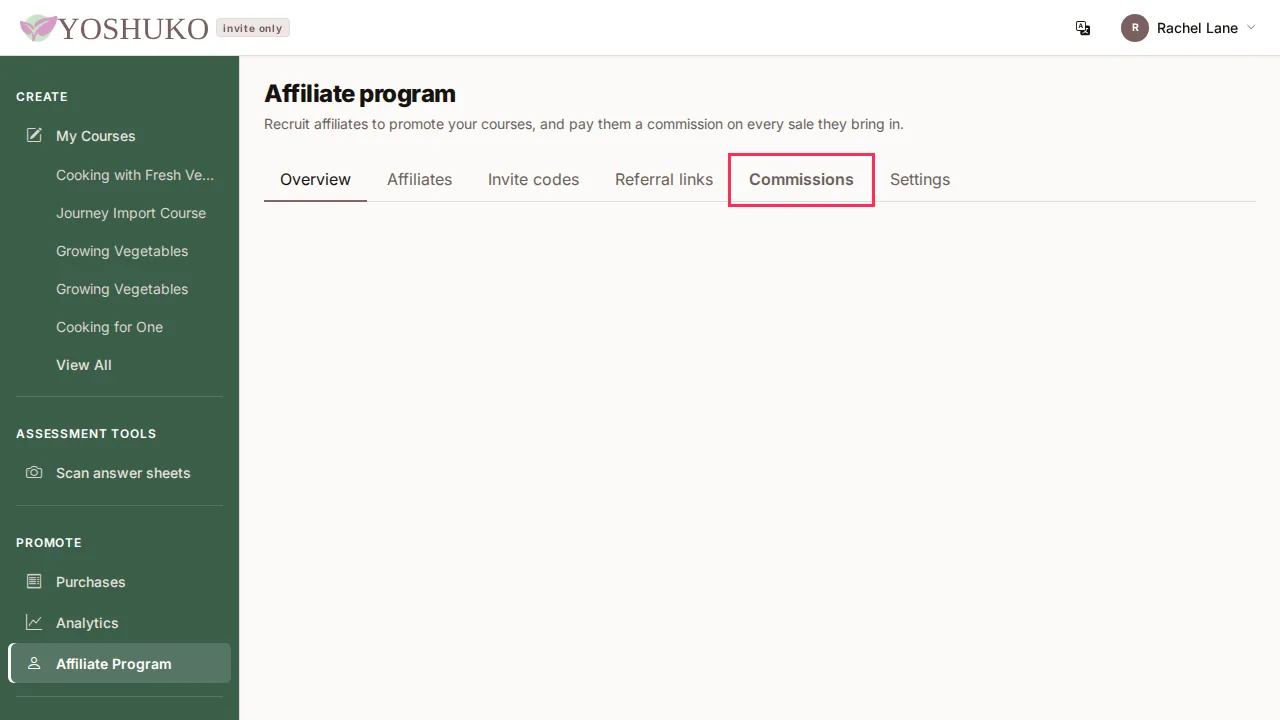
- Open the Commissions tab. Each sale an affiliate brought in shows the affiliate, course, sale,
commission and status (Owed,
Voidedor Reversed — refunded). - Press Mark settled on the rows you have paid. They read Settled, and Outstanding drops by that amount. This is your own record — Yoshuko sends no payment. Press it again to take the mark away.
購入者が 返品 をした場合、その販売および報酬がキャンセルされ、行のステータスは 返金済み — 返金済み になります。
もしあなたがアフィリエイトとして招待された場合
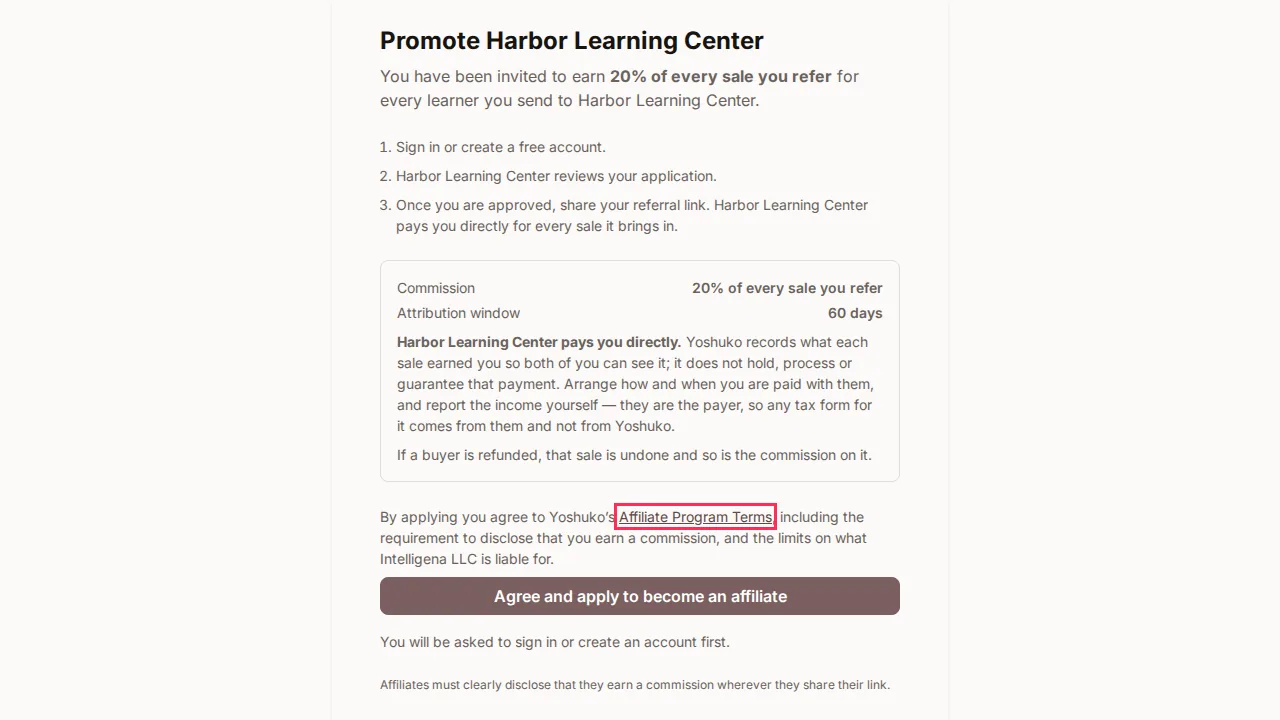
- Open the invite link you were sent. The page, Promote followed by the organisation's name, shows the commission on offer, who pays you (the creator, directly), and the creator's Program terms.
- Read the Affiliate Program Terms (linked on the page) — they include the rule that you must tell people you earn a commission, and section 7, No guarantees, about earnings, how correct things are, payment, and whether the programme will go on. You can also read them at /legal/affiliate-terms/.
- Press Agree and apply to become an affiliate. If you are not signed in, you are asked to sign in or create an account first.
- You see Application sent. You will get an email when it is reviewed. — or, for a
code that approves automatically,
You are approved. Your referral link is ready on your referrals page.
リンクを共有し、収益を確認する
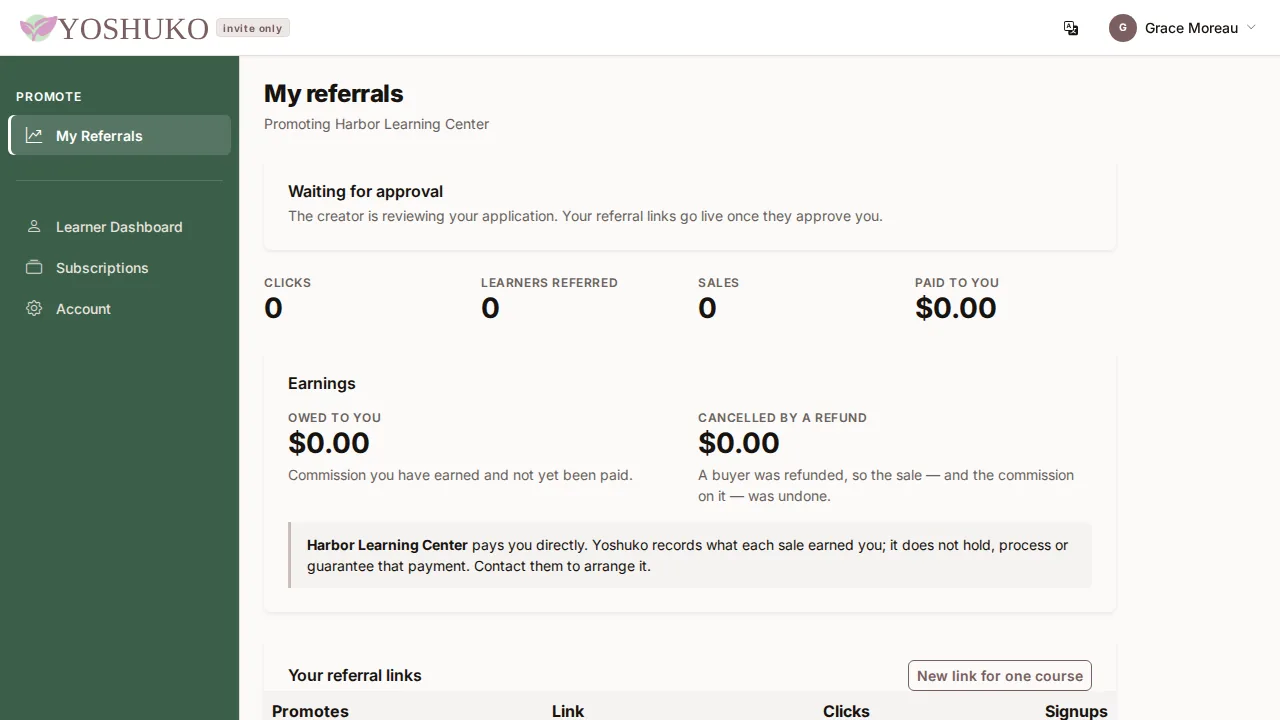
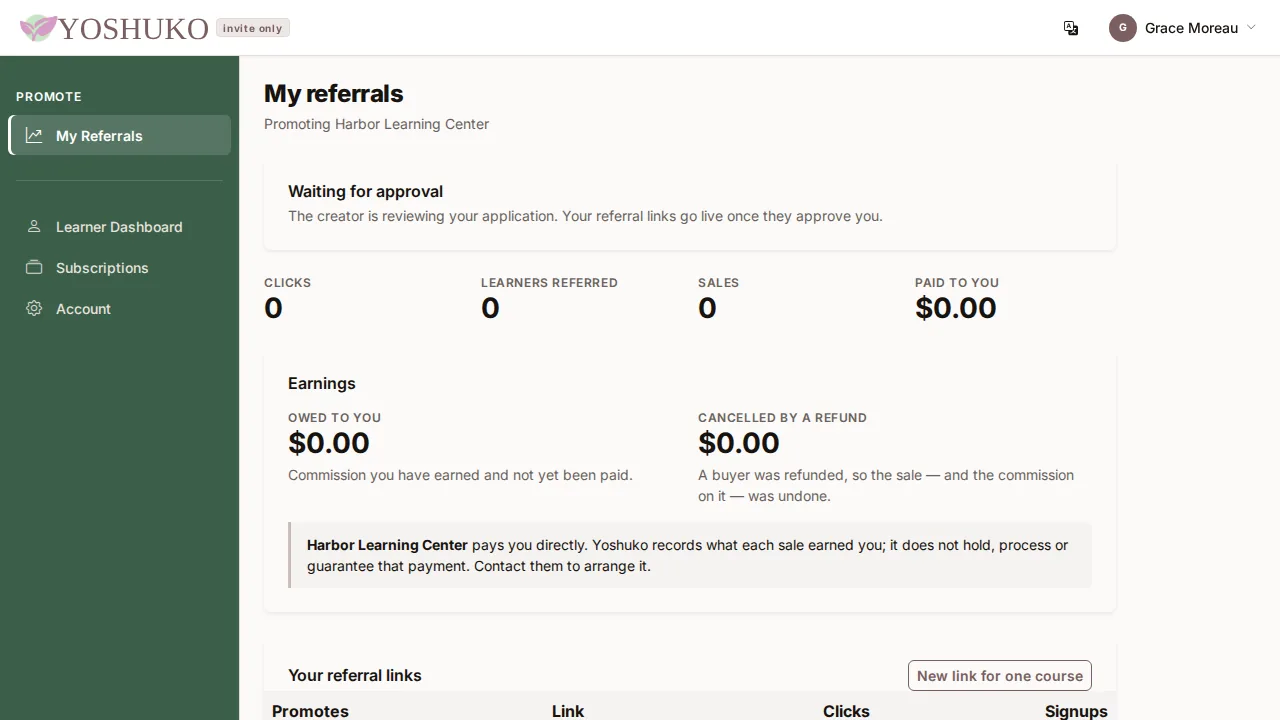
My Referrals はあなたのページです。クリエイターが承認した後:
Your referral linkslists your links, with a Copy button. Press New link for one course, choose the Course and, if you want, a Label, and press Create link to advertise just one course.- Earnings shows Owed to you — commission earned and not yet paid — and the Commission table lists each sale you brought in.
誰かがあなたのリンクをクリックし、クリエイターが設定した期間内に購入すると、あなたに報酬が発生します。その後、別のアフィリエイトのリンクをクリックしても、最新のリンクが勝ちます。あなたのクリエイターは直接あなたにお金を支払いますので、連絡して支払い方法を調整してください。 リンクを共有する場所では、明確に「報酬を得ています」と伝えてください。
何か問題が発生した場合
| You see | What it means | What to do |
|---|---|---|
| We could not load your affiliate program. | The Share page did not load. | Press Try again. |
| You are not running an affiliate program on a course's Affiliates page | The programme is off. | Press Set up affiliates. |
| This invitation is no longer open. or That invitation is no longer valid. Ask for a new invite link. | The code was stopped, used up, or its time ran out. | Ask the creator for a new invite link. |
| This program is not accepting affiliates right now. | The creator has switched the programme off. | Ask the creator. |
| You cannot be an affiliate of your own organisation. | You opened your own invite link. | Send it to someone else. |
| You have already applied to this program. | Your application is already in. | Wait for the email, or check My Referrals. |
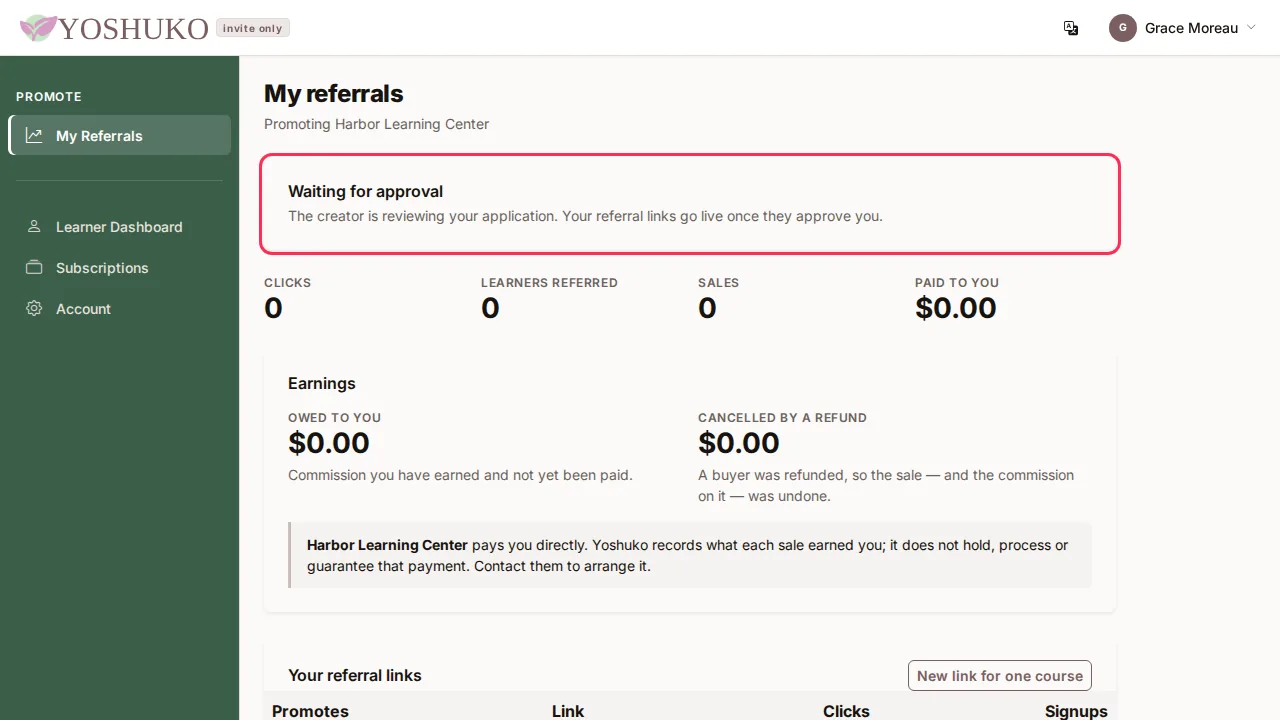
| Your links appear here once the creator approves you. | You have applied and are waiting. | Nothing — you will be emailed. |
関連情報
- 支払い、プランとクーポン
- あなたのコースリスト
- ストアページと独自ドメイン(あなたのストアページはショップページであり、ドメインはウェブサイトの名前です)
- 法的文書