Discussions
Give learners a place to ask questions and talk about your course. You answer as the course team, and you can pin, lock or remove anything posted. Turning it on takes a few seconds.
Before you start
- You need to be a creator on the course.
- Learners with access to the course read and post in the learner app, and are emailed when someone answers their topic. Posts are plain text.
Turn on the discussion
- Open the course and, in the course menu under Learners, choose Discussion.
- Switch on Learners can discuss this course. It saves straight away.
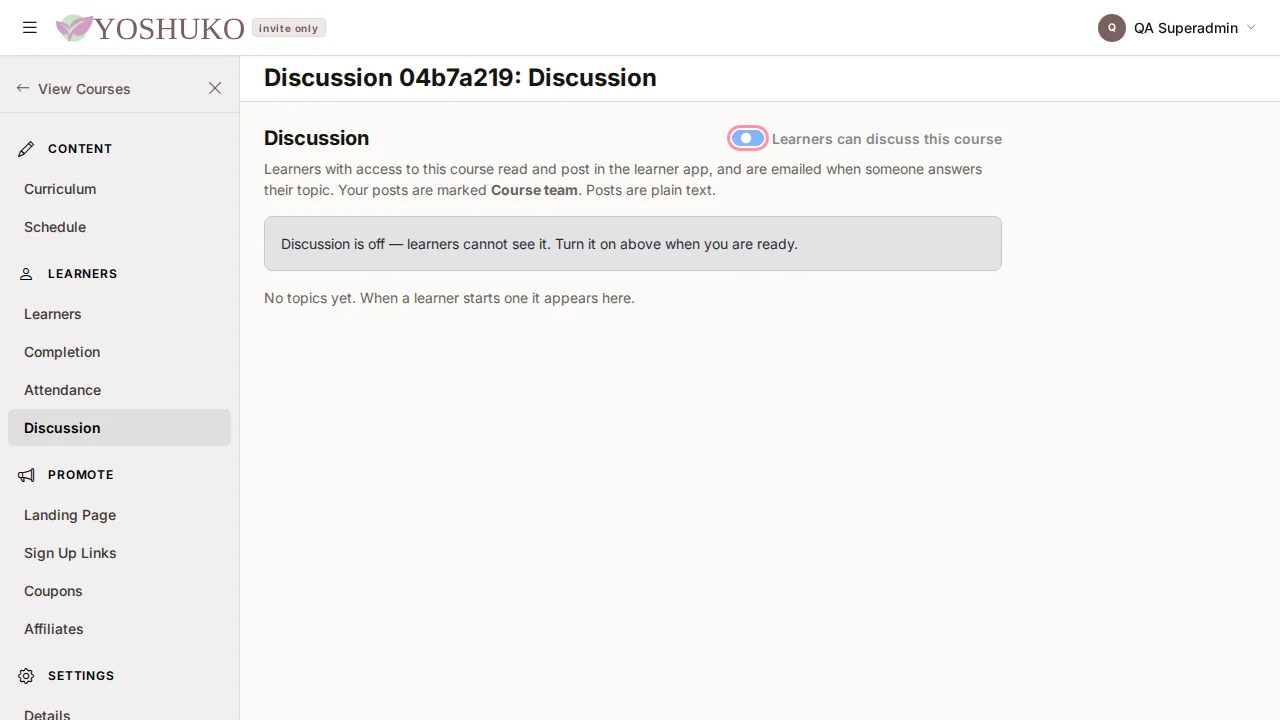
While it is off, learners cannot see the discussion at all. Topics are started by learners; until someone starts one, the page says No topics yet. When a learner starts one it appears here.
Answer a topic
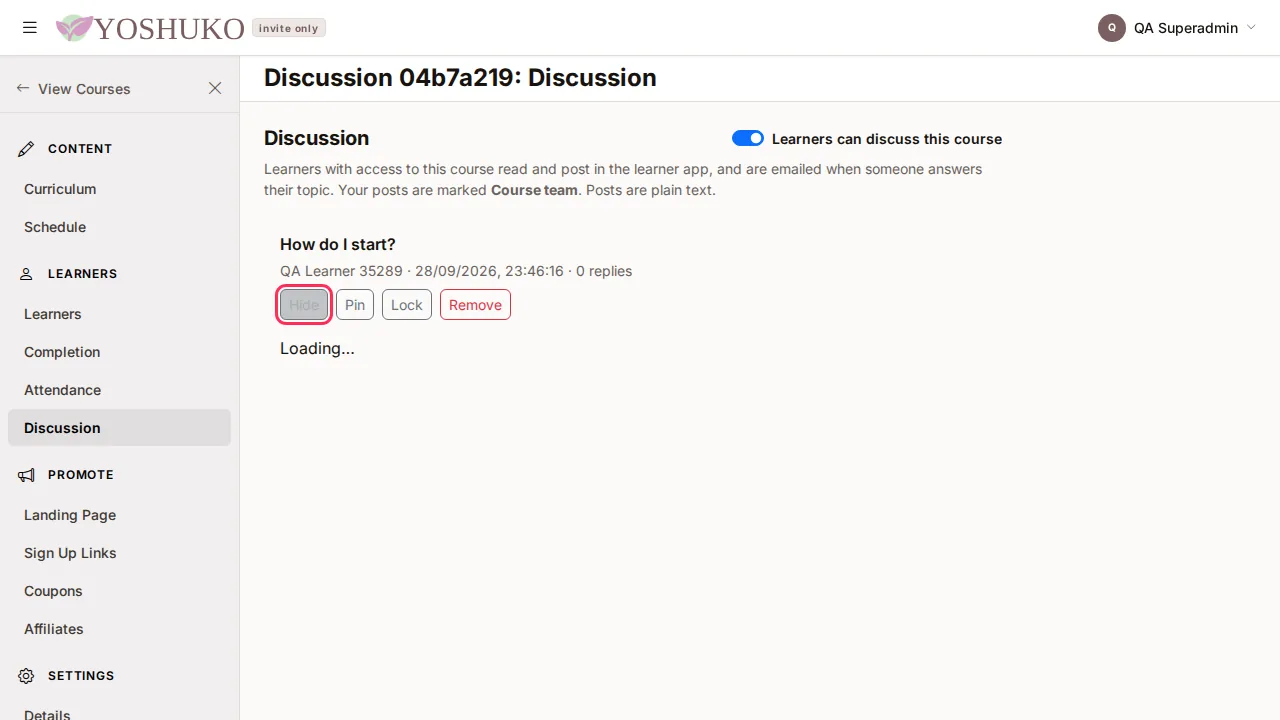
- Find the topic in the list. Each shows its title, who started it, when, and how many replies it has.
- Press View to open it. The topic, its replies and an answer box open underneath. (Hide closes it again.)
- Type in Answer as the course team and press Post reply.
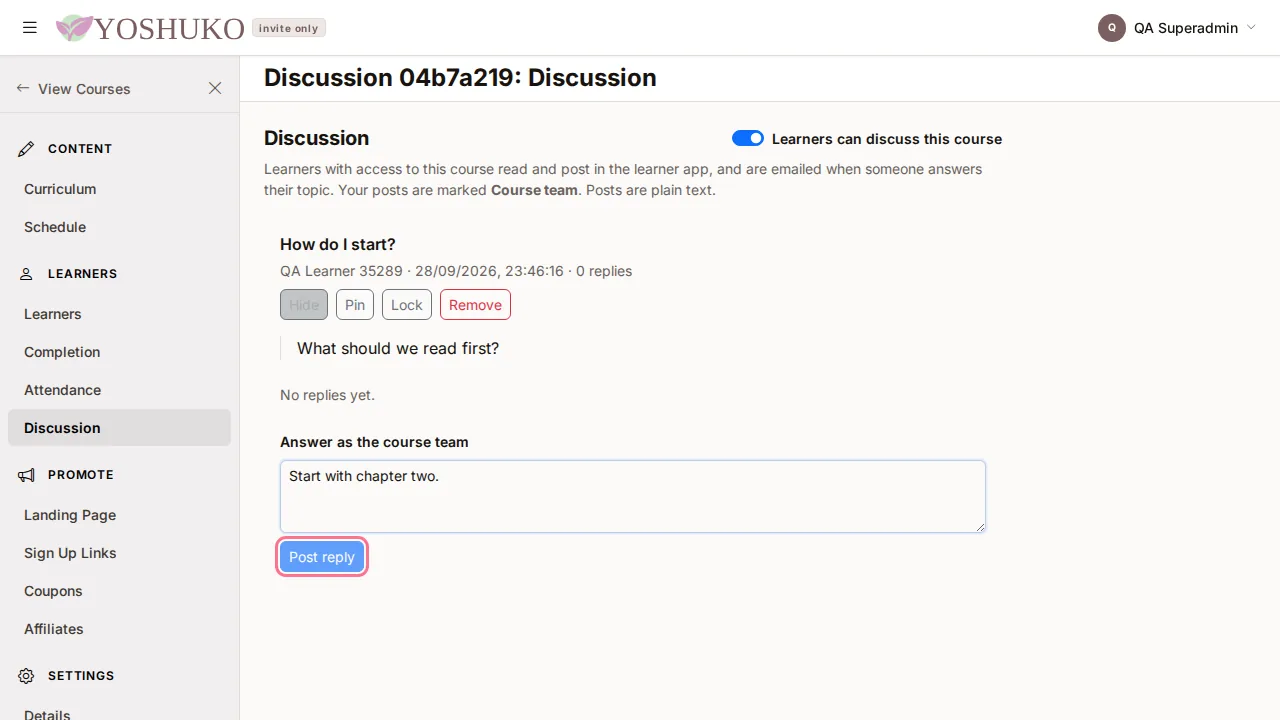
Your reply is marked Course team, so learners can tell it is an official answer.
Moderate topics and replies
Each topic has these buttons:
| Button | What it does |
|---|---|
| Pin / Unpin | A pinned topic is listed first and shows a Pinned label. |
| Lock / Unlock | A locked topic shows a Locked label and learners can no longer reply to it. The course team still can. |
| Remove | Removes the topic and its replies from the discussion, after you confirm. Learners will no longer see it. |
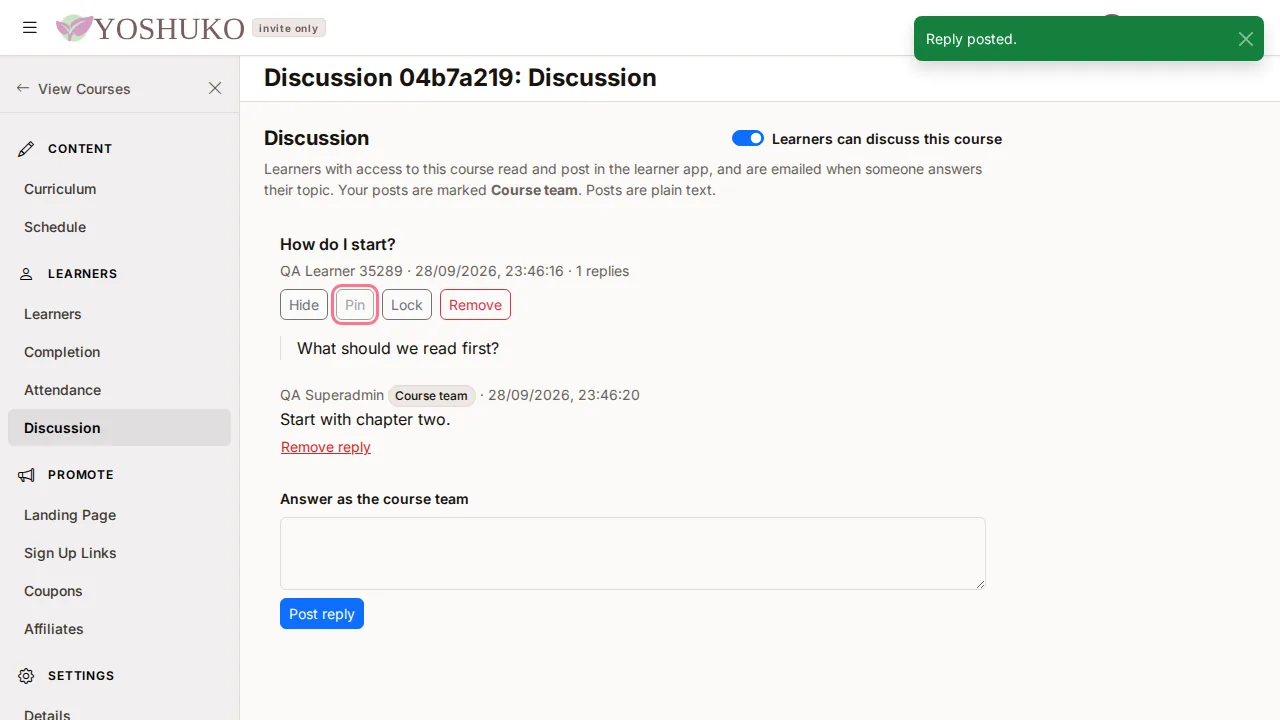
To remove a single reply, press Remove reply under it and confirm with Remove. Learners see "Removed by the course team" in its place.
If something goes wrong
| You see | What it means | What to do |
|---|---|---|
| Discussion is off — learners cannot see it. | The discussion has not been turned on. | Switch on Learners can discuss this course. |
| Could not load this course's discussion. | The page did not load. | Press Try again. |
| Could not load this topic. | One topic did not open. | Press Hide, then View again. |
| Could not change that topic. | A pin, lock or remove did not save. | Try again in a moment. |