Audit log and webhooks
The Audit log is a permanent record of the significant changes made in your organisation — who did what, and when. Webhooks send a signed message to a web address you choose the moment one of those things happens, so your own systems can react. Reading the log takes a minute; adding an endpoint takes about five.
Before you start
- You need to be a member of the organisation in the creator studio.
- For webhooks, you need a public web address (URL) that can receive a
POSTrequest, and somewhere safe to keep a secret.
Read the audit log
In the creator studio's left-hand menu, choose Audit log. Entries are listed newest first, with When, Action, Who and What changed — for example, a Course published entry names the person who published it and shows what changed.
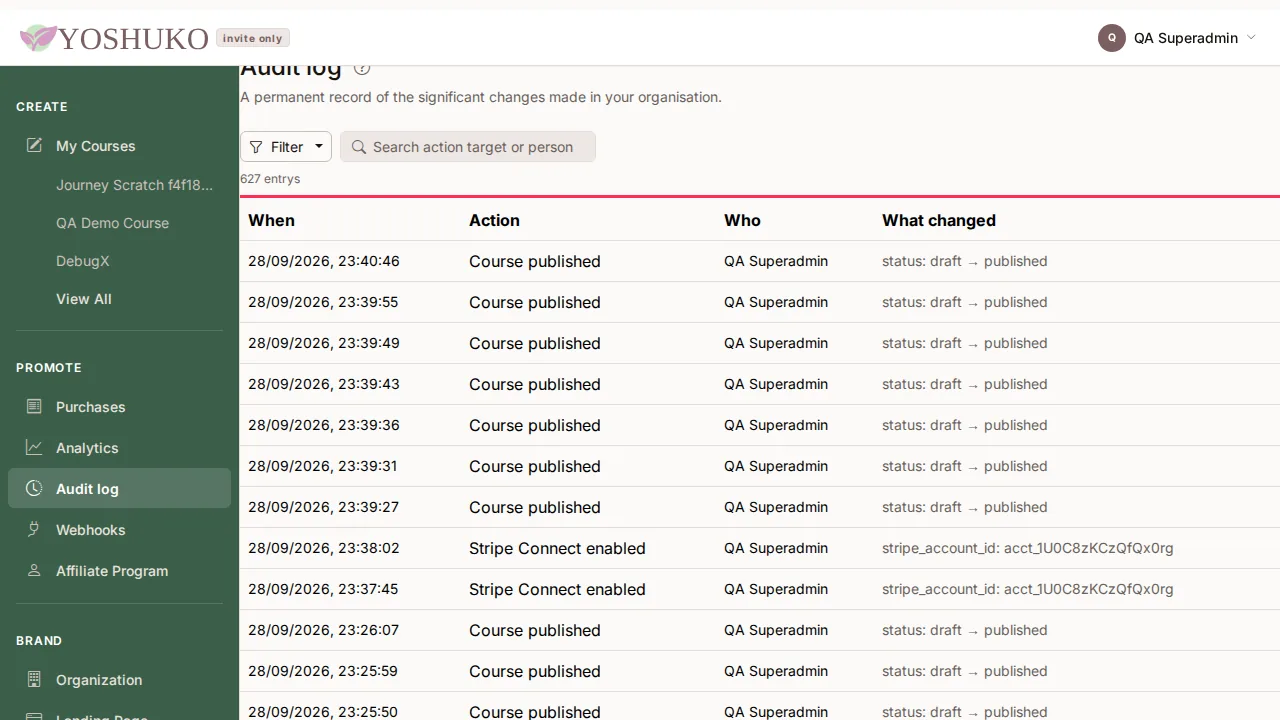
- Entries are permanent: nothing in the log can be edited or deleted.
- Actions taken by Stripe or by a scheduled job are shown as System.
- To narrow the list, type in Search action target or person, or press Filter, choose Action and tick the kinds of action you want.
The log records these actions: Course published, Course unpublished, Course archived, Enrolment refunded, Plan changed, Stripe Connect enabled, Custom domain verified, Certificate issued, Certificate revoked, Catalog subscription started, Catalog subscription canceled, Catalog subscription plan changed, Team invite code created, Member joined, Discussion topic pinned, Discussion topic unpinned, Discussion topic locked, Discussion topic unlocked, Discussion topic removed and Discussion reply removed.
Add a webhook endpoint
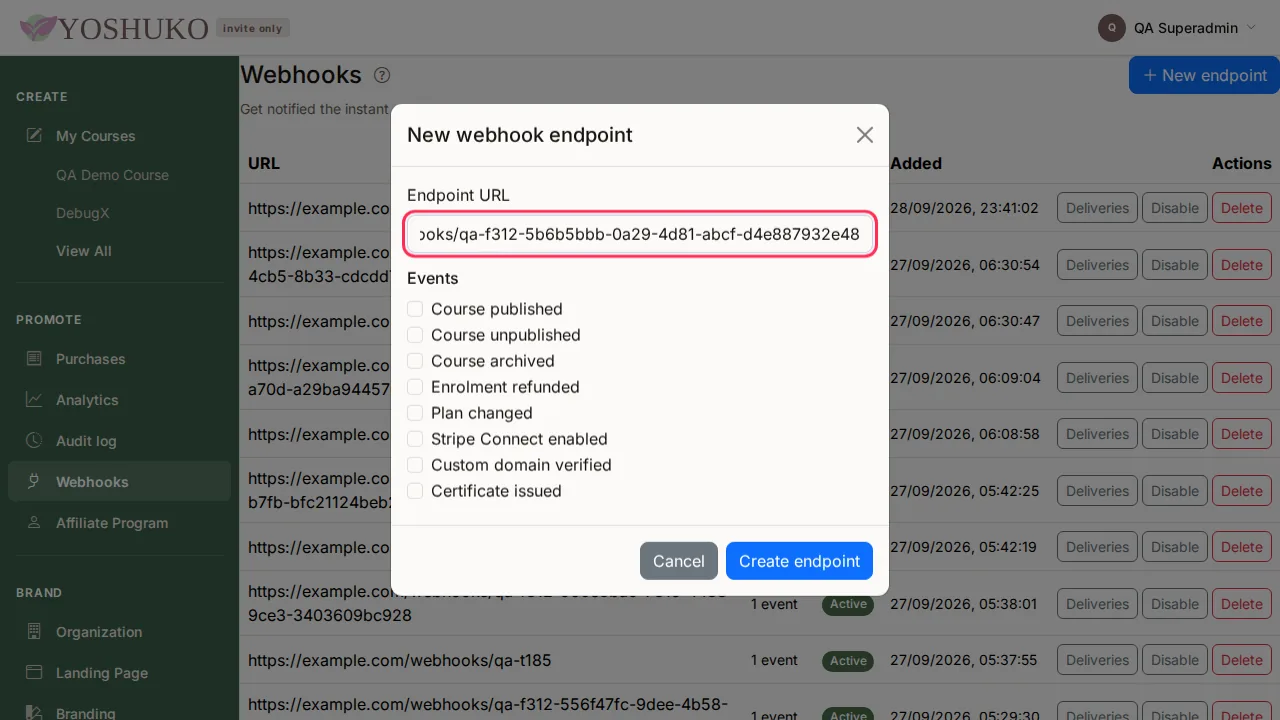
- In the left-hand menu, choose Webhooks, then press New endpoint.
- Enter the Endpoint URL — for example
https://example.com/webhooks/yoshuko. It must be a publichttporhttpsaddress. -
Under Events, tick each event you want sent to it. An endpoint only receives the events ticked here:
Event Sent when Event name Course published a course is published course.publishedCourse unpublished a course is unpublished course.unpublishedCourse archived a course is archived course.archivedEnrolment refunded a learner's purchase is refunded enrollment.refundedPlan changed your organisation's Yoshuko plan changes org.plan_changedStripe Connect enabled your organisation can accept payments org.connect_enabledCustom domain verified your custom domain starts serving your storefront org.domain_verifiedCertificate issued a learner is awarded a certificate certificate.issued -
Press Create endpoint.
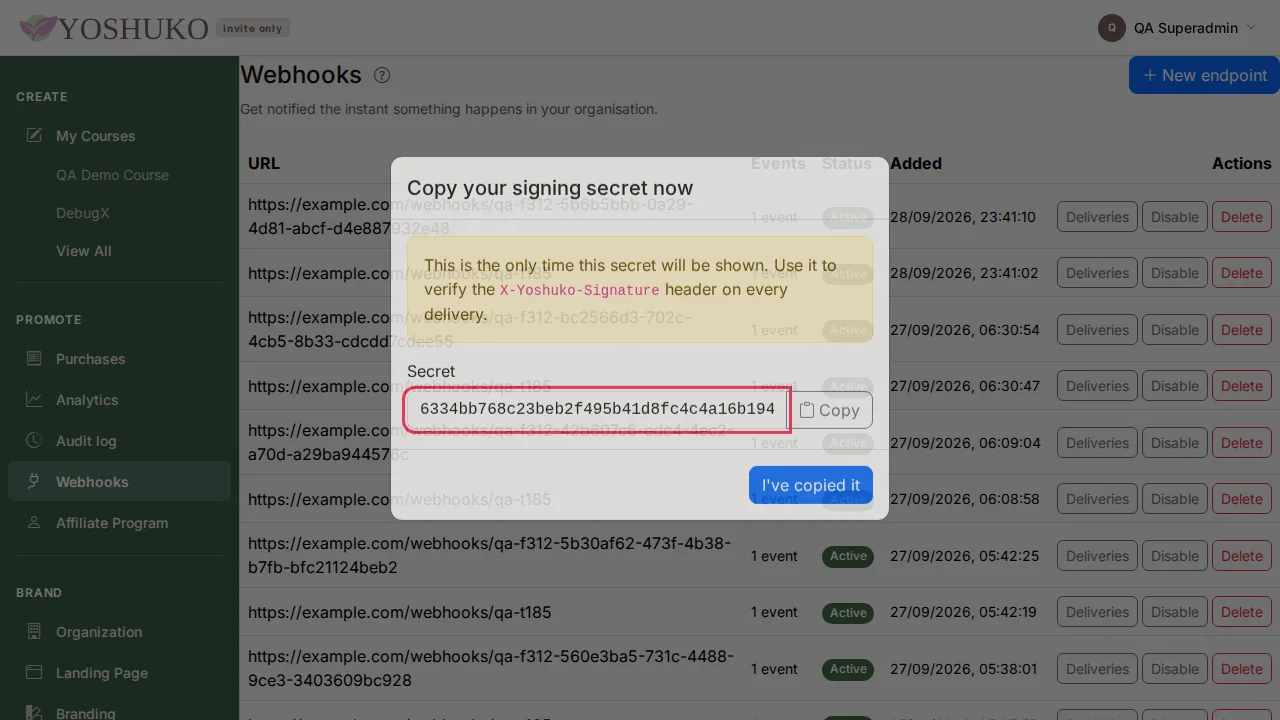
- The Copy your signing secret now window shows the endpoint's Secret. This is the only time it is shown. Press Copy, store it safely, and press I've copied it.
If you lose the secret
It cannot be shown again. Delete the endpoint and create a new one.
What a delivery looks like
Each delivery is an HTTP POST to your URL with a JSON body describing the event,
and these headers:
| Header | Contains |
|---|---|
Content-Type |
application/json |
X-Yoshuko-Event |
the event name, for example course.published |
X-Yoshuko-Signature |
t=<unix timestamp>,v1=<signature> |
Reply with any 2xx status to confirm you received it. Anything else, or no answer,
counts as a failure.
Check that a delivery really came from Yoshuko
The signature is a hex-encoded HMAC-SHA256, keyed with your endpoint's secret, of the
timestamp, a full stop, and the raw request body exactly as received:
HMAC_SHA256(secret, "<t>." + body). Compare it with v1, and reject messages whose
timestamp is more than five minutes old so an intercepted message cannot be replayed.
import hashlib
import hmac
import time


def is_from_yoshuko(secret: str, signature_header: str, raw_body: bytes,
                    tolerance_seconds: int = 300) -> bool:
    """True if raw_body was signed by Yoshuko with this endpoint's secret."""
    parts = dict(
        chunk.split("=", 1) for chunk in signature_header.split(",") if "=" in chunk
    )
    try:
        timestamp = int(parts["t"])
        received = parts["v1"]
    except (KeyError, ValueError):
        return False
    if abs(time.time() - timestamp) > tolerance_seconds:
        return False
    expected = hmac.new(
        secret.encode(), f"{timestamp}.".encode() + raw_body, hashlib.sha256
    ).hexdigest()
    return hmac.compare_digest(expected, received)
Always verify against the raw body bytes. Parsing the JSON and serialising it again can change spacing or key order, and the signature will no longer match.
Watch deliveries, and retry a failed one
In the endpoints table (URL, Events, Status, Added), press Deliveries on an endpoint's row. The panel lists each delivery with When, Event, Status (Pending, Delivered or Failed), Attempts and Last response.
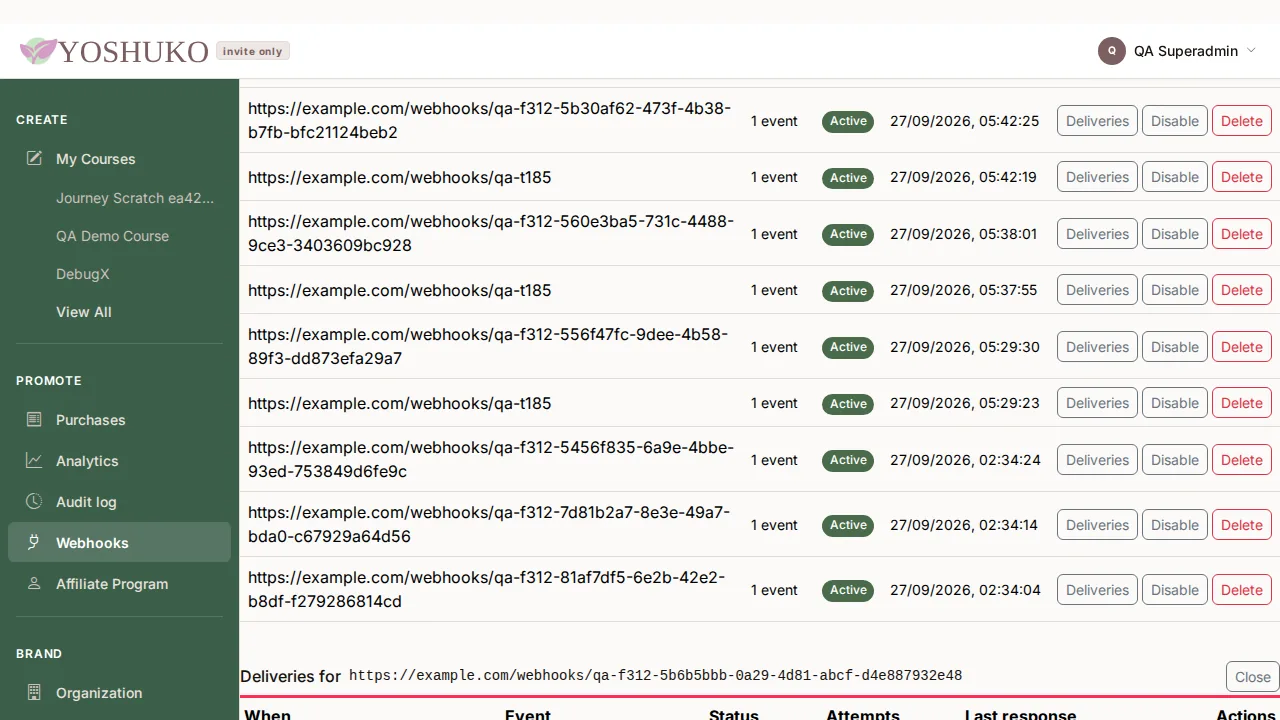
A failed delivery is retried automatically up to 5 times, with longer waits between attempts. After that it stays Failed until you press Redeliver on its row.
Pause or remove an endpoint
- Press Disable to stop sending to an endpoint without deleting it; its status becomes Disabled. Press Enable to start again.
- Press Delete, then Delete endpoint. It stops receiving events immediately, and this cannot be undone.
If something goes wrong
| You see | What it means | What to do |
|---|---|---|
| No recorded actions yet | Nothing that the log records has happened yet — publishing a course, refunding a learner or changing your plan will appear here. | Nothing. |
| No actions match your filters. | Entries exist, but your search or filter hides them all. | Clear the search box or filter. |
| No webhook endpoints yet | You have not added one. | Press New endpoint. |
| The endpoint URL must be http or https. or That does not look like a valid endpoint URL. | The address is not a web URL. | Enter a full address starting with https://. |
| That endpoint host could not be resolved. | The domain name does not exist, or is not reachable publicly. | Check the spelling. |
| That endpoint address is not eligible to receive webhook deliveries. | The address points at a private or internal network. | Use a publicly reachable address. |
| A delivery marked Failed | Your server did not answer with a 2xx status after all retries. Last response shows what it did answer. |
Fix your server, then press Redeliver. |
| Your code rejects every delivery as unsigned | The body was changed before verifying, the secret is wrong, or your server's clock is off by more than five minutes. | Verify the raw body with the exact secret you copied, and check your clock. |